The Real Data Analyst Workflow: Not What Bootcamps Show You
Many bootcamps promise that you’ll become a Data Analyst in a few months. They usually show a smooth workflow:
Import dataset → Clean data → Build dashboard → Done.
But the real world is very different.
Professional data analysts spend less time making dashboards and more time understanding messy data, asking the right questions, and solving business problems.
If you're learning data analytics (like many aspiring analysts today), understanding the actual workflow used in companies will give you a major advantage.
In this article, we’ll explore the real data analyst workflow that professionals follow — the one bootcamps rarely show.
1. Understanding the Business Problem

Before writing a single line of SQL or Python, analysts must understand the business question.
Most beginners jump directly into tools, but professionals ask questions like:
What problem are we trying to solve?
What decision will this analysis support?
Who will use the insights?
What metric actually matters?
For example:
A manager might say:
“Sales are dropping. Can you analyze the data?”
A good analyst will refine the problem:
Is the drop happening in all regions or specific ones?
Is it related to pricing, product, or marketing?
When did the decline start?
Without understanding the context, even the best analysis can be useless.
2. Finding and Collecting the Right Data
Bootcamps usually give you clean datasets ready to analyze.
In reality, analysts spend a lot of time finding where the data actually lives.
Common sources include:
SQL databases
Data warehouses
APIs
Excel files
Logs from applications
CRM or marketing platforms
Typical workflow:
Identify relevant tables
Write SQL queries
Join multiple datasets
Export results for analysis
Example SQL:
SELECT
    customer_id,
    COUNT(order_id) AS total_orders,
    SUM(order_amount) AS revenue
FROM orders
GROUP BY customer_id;
Sometimes 80% of the work is just gathering usable data.
3. Cleaning the Messy Data

Real-world data is messy.
You will often encounter:
Missing values
Duplicate records
Incorrect data types
Outliers
Inconsistent formats
Example issues:
| Problem | Example |
|---|---|
| Missing values | Age = NULL |
| Duplicate rows | Same order recorded twice |
| Incorrect format | Date stored as text |
| Inconsistent labels | "USA", "U.S.", "United States" |
Tools used:
Python (Pandas)
SQL
Excel
Example Python cleaning:
df = df.drop_duplicates()
df['date'] = pd.to_datetime(df['date'])
df = df.fillna(0)
Cleaning data properly is one of the most critical skills for analysts.
4. Exploratory Data Analysis (EDA)

After cleaning the data, analysts perform Exploratory Data Analysis (EDA).
The goal is to discover patterns and relationships.
Common questions asked during EDA:
What does the distribution look like?
Are there correlations between variables?
Are there unusual patterns or anomalies?
Typical visualizations:
Histograms
Box plots
Scatter plots
Correlation heatmaps
Example:
import seaborn as sns
sns.countplot(x='Gender', data=df)
EDA often leads to unexpected discoveries that shape the final analysis.
5. Generating Insights
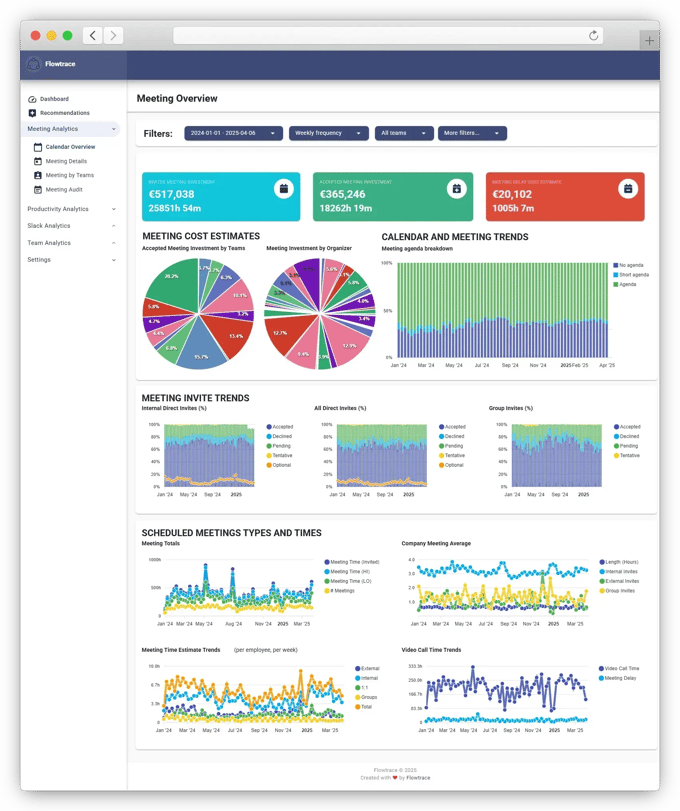
This is where analysis becomes valuable.
A good analyst doesn't just present numbers — they provide actionable insights.
Example:
Instead of saying:
"Revenue dropped by 12%."
A better insight would be:
"Revenue dropped by 12% primarily due to a decline in repeat customers in the North region."
Insights should always answer:
What happened?
Why did it happen?
What should we do next?
6. Communicating Results
The final step is communication.
Even brilliant analysis is useless if people don’t understand it.
Common communication formats:
Dashboards (Tableau, Power BI)
Reports
Presentations
Internal documentation
Great analysts use data storytelling.
Example structure:
Problem
Data used
Key findings
Business recommendation
The Real Workflow (Summary)
In reality, the workflow looks like this:
Understand Business Problem
        ↓
Find Data Sources
        ↓
Extract Data (SQL)
        ↓
Clean Data
        ↓
Exploratory Data Analysis
        ↓
Generate Insights
        ↓
Communicate Results
        ↓
Stakeholders Ask More Questions
        ↓
Repeat
Data analysis is an iterative process, not a one-time task.
Key Skills Real Analysts Use Daily
Bootcamps often emphasize tools, but real analysts focus on problem solving.
Core skills include:
SQL querying
Data cleaning
Exploratory analysis
Visualization
Communication
Business understanding
Tools commonly used:
SQL
Python (Pandas, NumPy)
Excel
Power BI / Tableau
Jupyter Notebook
The biggest difference between bootcamp projects and real-world analytics is complexity.
Real data is messy.
Problems are vague.
And insights require critical thinking.
But once you understand the real workflow, you stop chasing tools and start focusing on solving problems with data.
That’s what truly makes a great data analyst.


